
Give WooCommerce customers a better place to land after login.
A returning customer already knows your store. Help them get to what matters next. With LoginWP Pro, you can send customers to a page you choose based on a product they purchased or a product category they bought from.
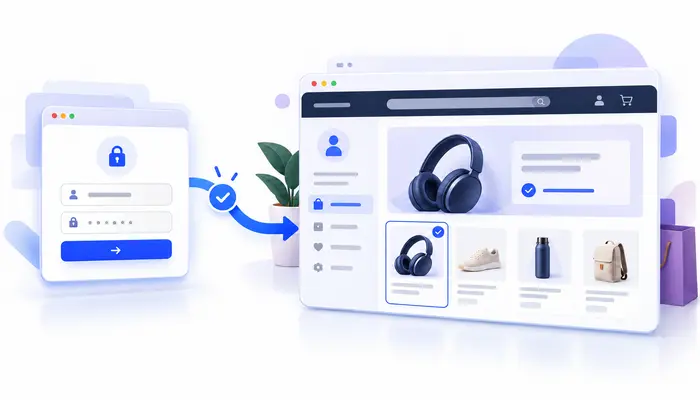
Make every customer login lead somewhere useful
Guide each user to the page that matters most—at exactly the right moment.
Guide buyers to the next step
Send customers who purchased a specific product to a relevant resource, account page, or getting-started guide when they log in.
Tailor the journey by product category
Create a rule for customers who have bought from a selected WooCommerce product category, and point them to a page that fits their interests.
Keep the experience familiar
Apply LoginWP redirect behavior to WooCommerce login forms, so customers can sign in through your store and continue to a useful destination.
Set up your WooCommerce redirects in a few steps
- Install and activate WooCommerce and LoginWP Pro on your WordPress site.
- In LoginWP, open Redirections → Integrations and enable WooCommerce. [EDITOR: Confirm this menu path against the installed plugin version; an older general help article calls this area “Settings.”]
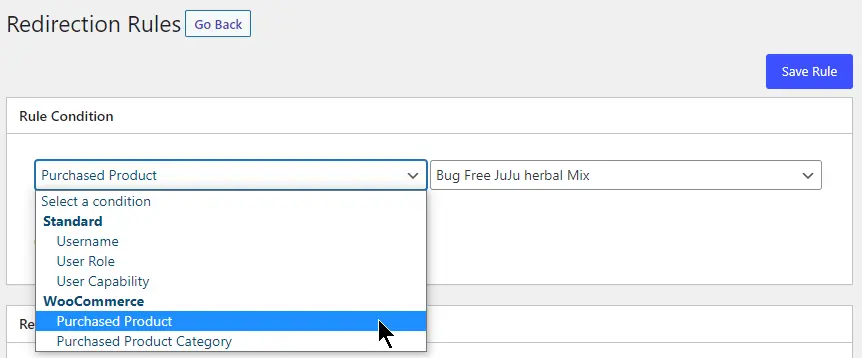
- Open LoginWP → Redirections → Add New. Choose Purchased Product or Purchased Product Category, then select the product or category.
- Enter the destination URL for login. Add a logout URL if you want one, then save the rule.
- Test with a customer account that matches your chosen condition and one that does not.
For detailed guide, read the Woocommerece integration documentation here: Redirect Users After Login Based on WooCommerce Product Purchase
Put purchase context to work
After a digital product purchase
Direct returning buyers of a selected product to its setup guide, downloads page, or onboarding hub after they log in. Check that the page and downloads are available to those buyers.
For a product category
Point customers who purchased from a particular category to a curated landing page with useful resources or a next purchase suggestion. The rule checks purchase history, not the current cart.
For a smoother return visit
Where a rule calls for it, use LoginWP’s {{previous_page}} placeholder to return a shopper to the page they visited before logging in. Test the journey with your store’s login flow.
Frequently asked questions
Can I redirect customers based on what they purchased?
Yes. With the WooCommerce integration enabled, LoginWP Pro supports rules for a selected Purchased Product or Purchased Product Category. Set a destination URL and save the rule.
Does this work with WooCommerce login forms?
LoginWP documents support for WooCommerce login forms. Test the exact login form and account flow used on your site after configuring your rule.
Can I choose a destination after logout too?
Yes. When creating these WooCommerce rules, you can enter login and logout URLs.
Can I send customers back to the page they visited before login?
LoginWP supports the
{{previous_page}}
placeholder for login redirects.
Place it in the Login URL field of the appropriate
rule and test the result with your WooCommerce login flow.
Do I need WooCommerce Memberships or Subscriptions?
No. Product and product-category purchase rules use WooCommerce. The active membership-plan and active subscription conditions relate to the separate WooCommerce Memberships and WooCommerce Subscriptions add-ons, respectively.
Need Support?
Reach out to us directly: https://loginwp.com/support/
Explore LoginWP documentation
Check our Knowledge Base documentation here: https://loginwp.com/docs/
Make the next page feel like the right one
Create WooCommerce login redirects that respond to what customers have purchased. Start with LoginWP Pro and guide returning buyers toward a more useful destination.