
A better first page for every membership level
Your membership levels promise different experiences. Make the page after login reflect that. LoginWP Pro lets you route Paid Memberships Pro members by the level they subscribe to, sending them to a destination you choose.
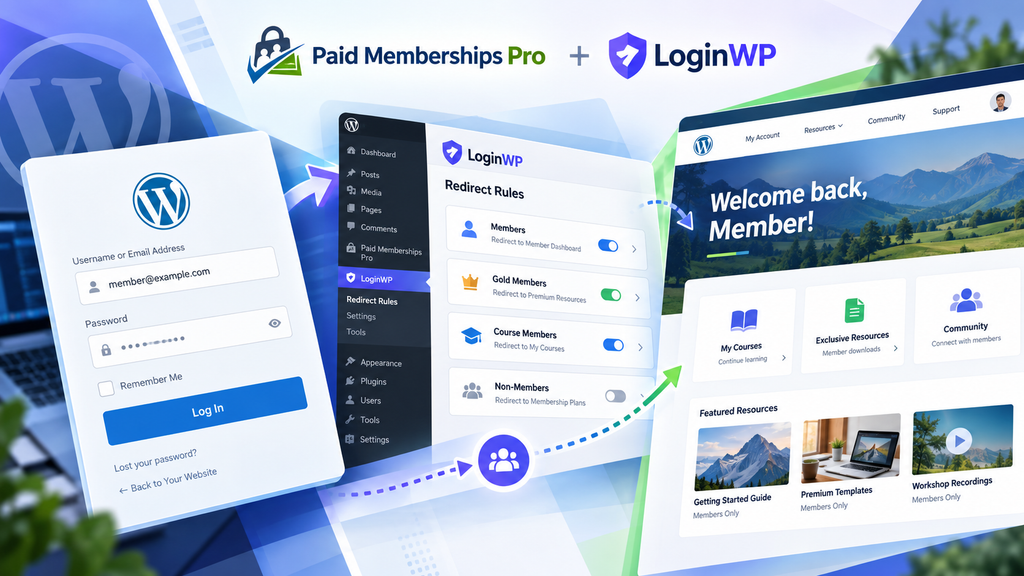
Let members begin where their benefits live
The next page can be as specific as the level a member joined. Here is one way to plan it
A welcome suited to their level
Create a login redirect for a selected subscribed membership plan, then point members toward a relevant homepage, resource index, or orientation page.
A more deliberate sign-out
Add a logout URL to the same rule if you want members leaving the site to see a public welcome page or another destination you select.
Room for different journeys
Add rules for other levels as your membership offering grows. LoginWP also supports general rules for usernames, roles, capabilities, and other users where they fit your site.
Set up a level-based redirect
- Install and activate Paid Memberships Pro and LoginWP Pro. Create the level and destination page you want to use.
- In LoginWP → Integrations, enable Paid Memberships Pro.
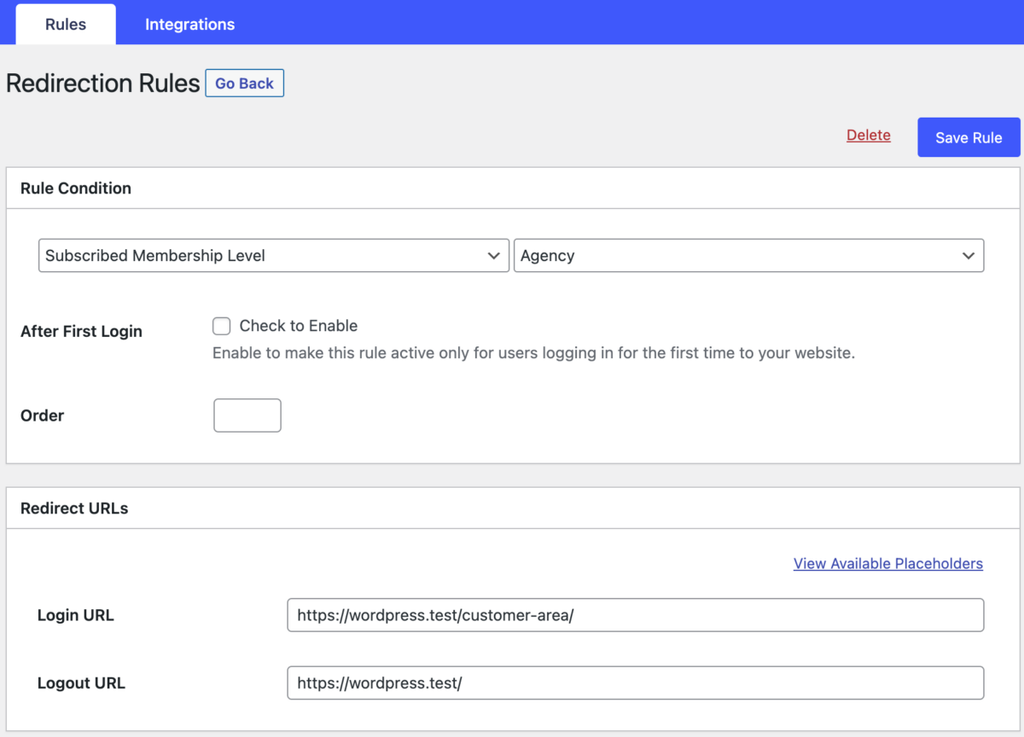
- Open LoginWP → Redirections → Add New. Select Subscribed Membership Plan and choose the level in the value field.
- Enter the login URL and, if useful, a logout URL. Save the rule.
- Test with a member on that level and an account that does not match it. Check PMPro’s own redirect behavior and any level combinations your site permits.
For detailed guide, read the PMPro integration documentation here: Redirect WordPress Users After Login Based on Paid Memberships Pro Levels
Questions before you set it live
Can I use a different destination for each PMPro level?
Yes. Create a LoginWP rule for a selected Subscribed Membership Plan and set its destination. Add and test rules for the other levels you want to address.
Can I redirect after logout?
Yes. The PMPro integration guide describes login and logout URL fields in a level-based rule.
Does LoginWP control access to member content?
No. Paid Memberships Pro manages levels and protected content. LoginWP selects a page to visit after login; make sure that page is available to the matching member.
Does this work with a Paid Memberships Pro login form?
LoginWP lists Paid Memberships Pro among the login forms supported by its rules. Test your site’s particular login flow, especially when PMPro also sets a redirect destination.
Can I send someone back to the page they came from?
LoginWP offers the {{previous_page}} placeholder for a
login URL. Choose it for a suitable rule when returning members to
their prior page is more useful than a fixed level homepage, then
test the flow.
Need Support?
Reach out to us directly: https://loginwp.com/support/
Explore LoginWP documentation
Check our Knowledge Base documentation here: https://loginwp.com/docs/
Give your members a clearer way in
Choose what comes after login for each membership level and help members find the experience they joined for.